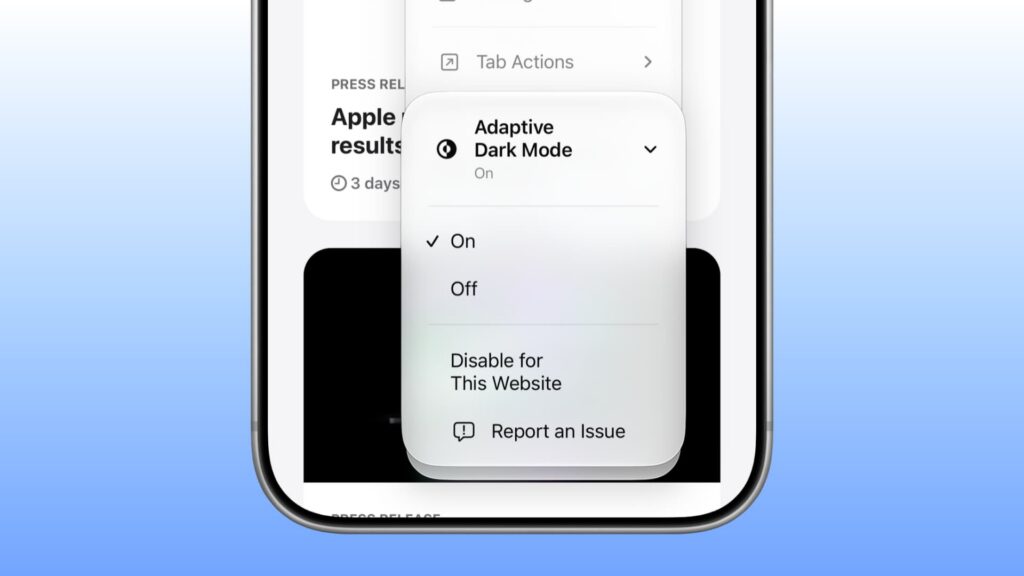
As reported on November 7, 2026, Safari’s new Adaptive Dark Mode was available in beta versions of iOS 27.3, iPadOS 27.3 and macOS 27.3 Golden Gate. It is designed to make websites without native Dark Mode support easier to read in a dark appearance, without installing an extension. A general release was expected in the following weeks but had not yet occurred at the time of the report.
According to Apple and MacRumors, the feature adapts its changes to each page. It can darken backgrounds, adjust text contrast, invert some logos or graphics, recolor vector artwork and rebalance shadows. Not every adjustment applies to every site.
Turn it on in Safari
- On an iPhone, iPad or Mac running the relevant 27.3 beta or later, open a website in Safari.
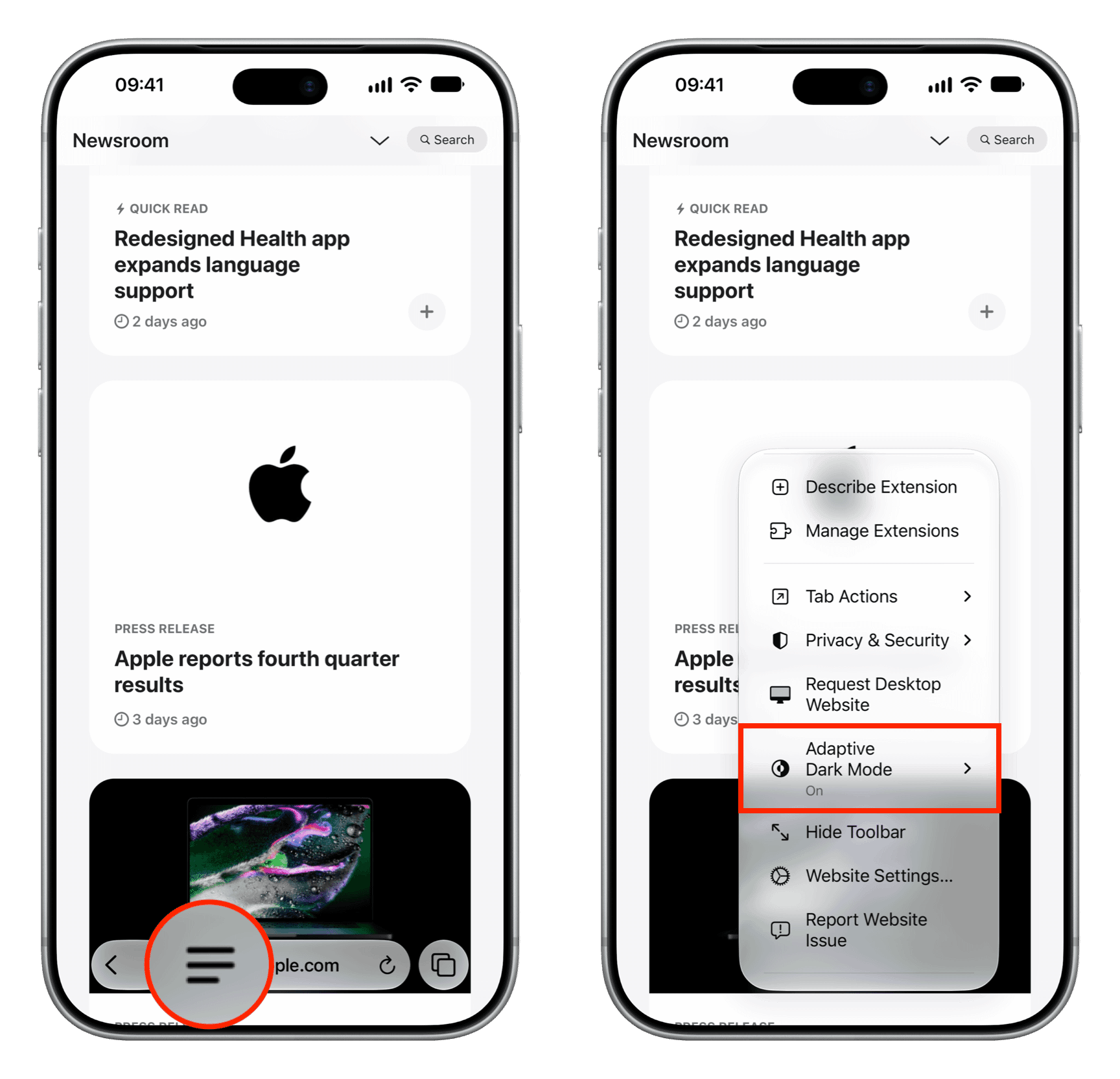
- Open the three-line menu in the address bar and select Adaptive Dark Mode.
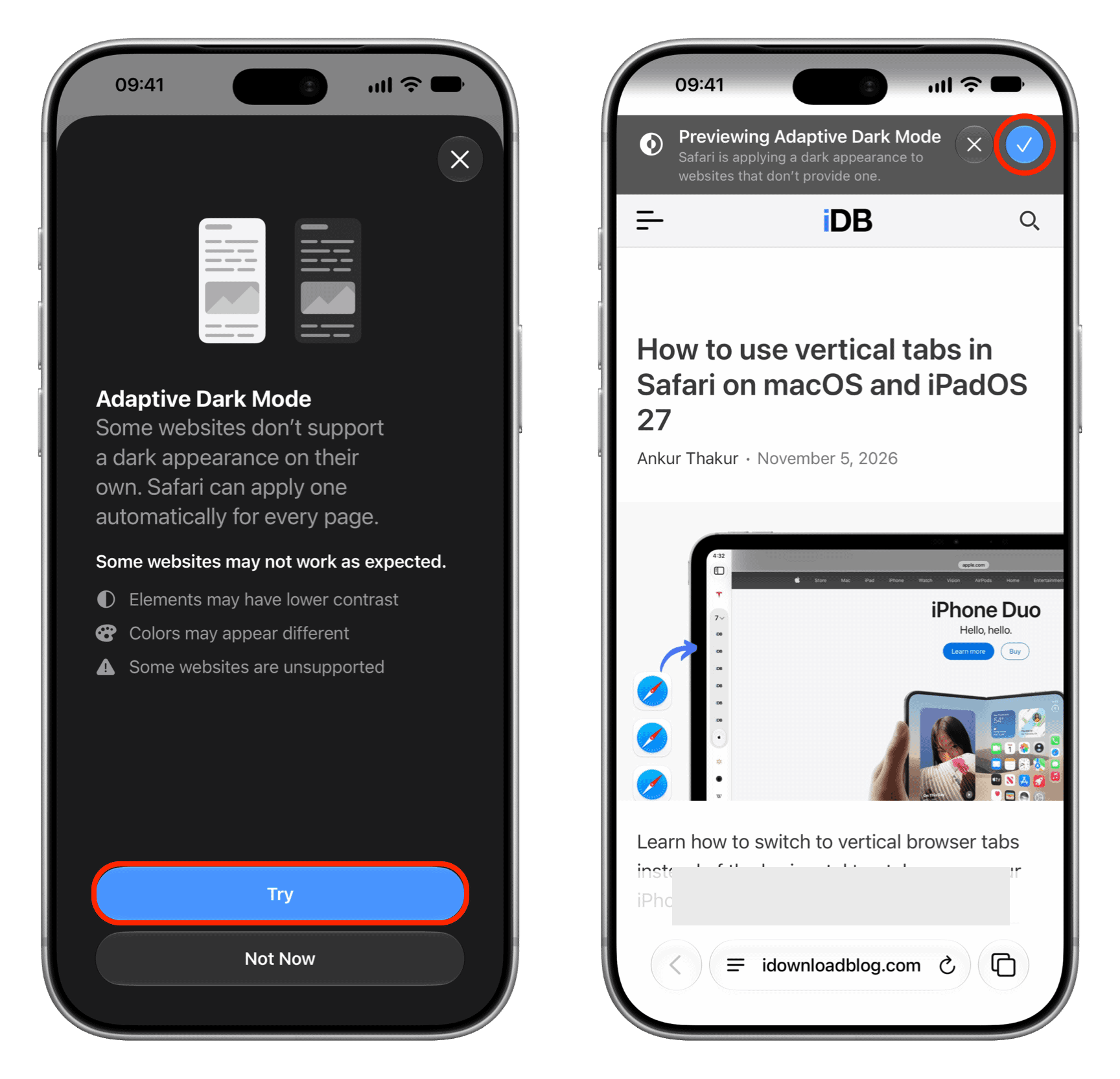
- On first use, tap Try on the introductory screen, then tap the blue checkmark in the preview banner.
- For later visits, use the same menu to switch Adaptive Dark Mode on or off.
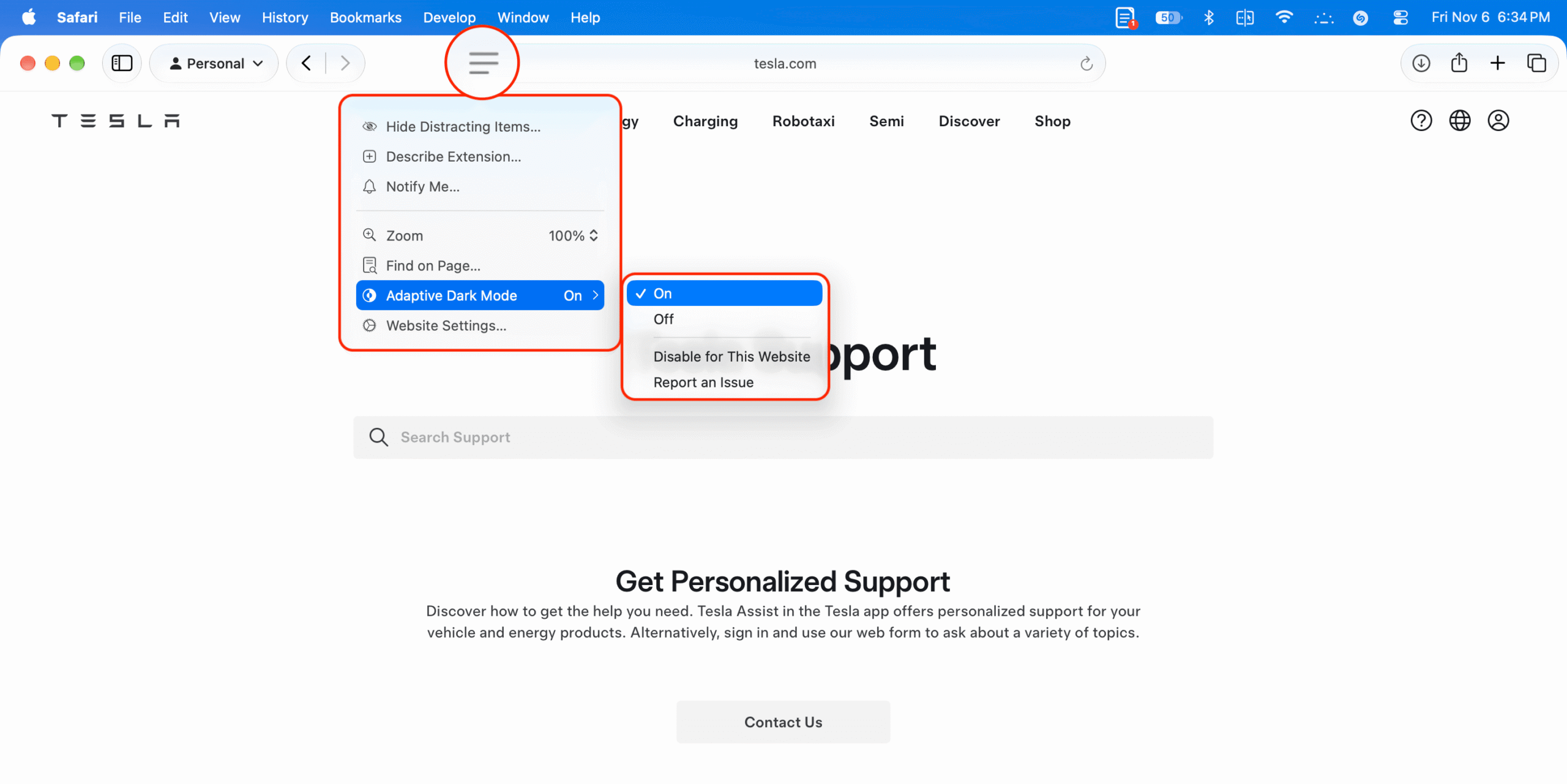
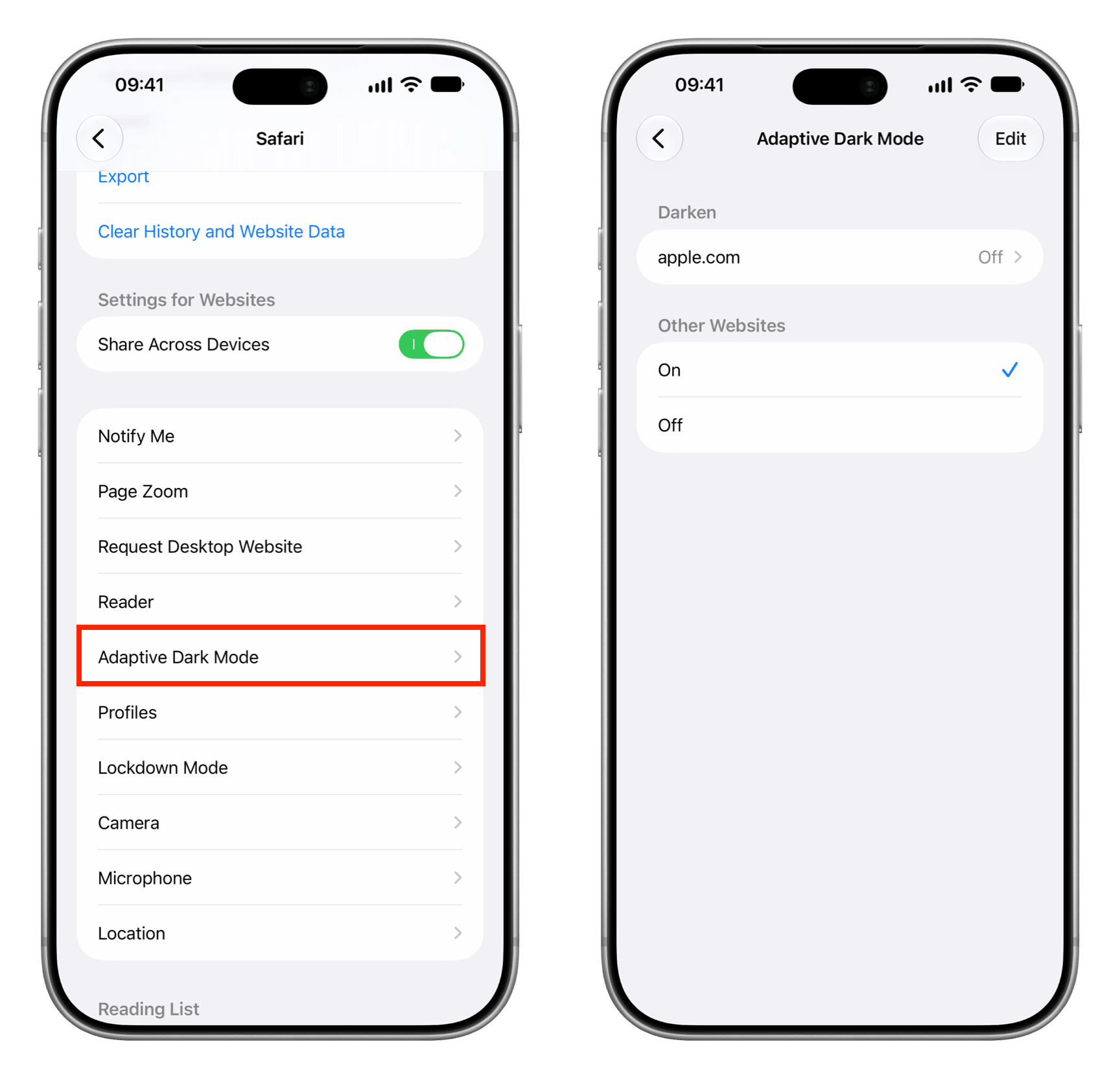
On Mac, Safari Settings → Websites → Adaptive Dark Mode also lets you manage the setting for open sites or all sites.
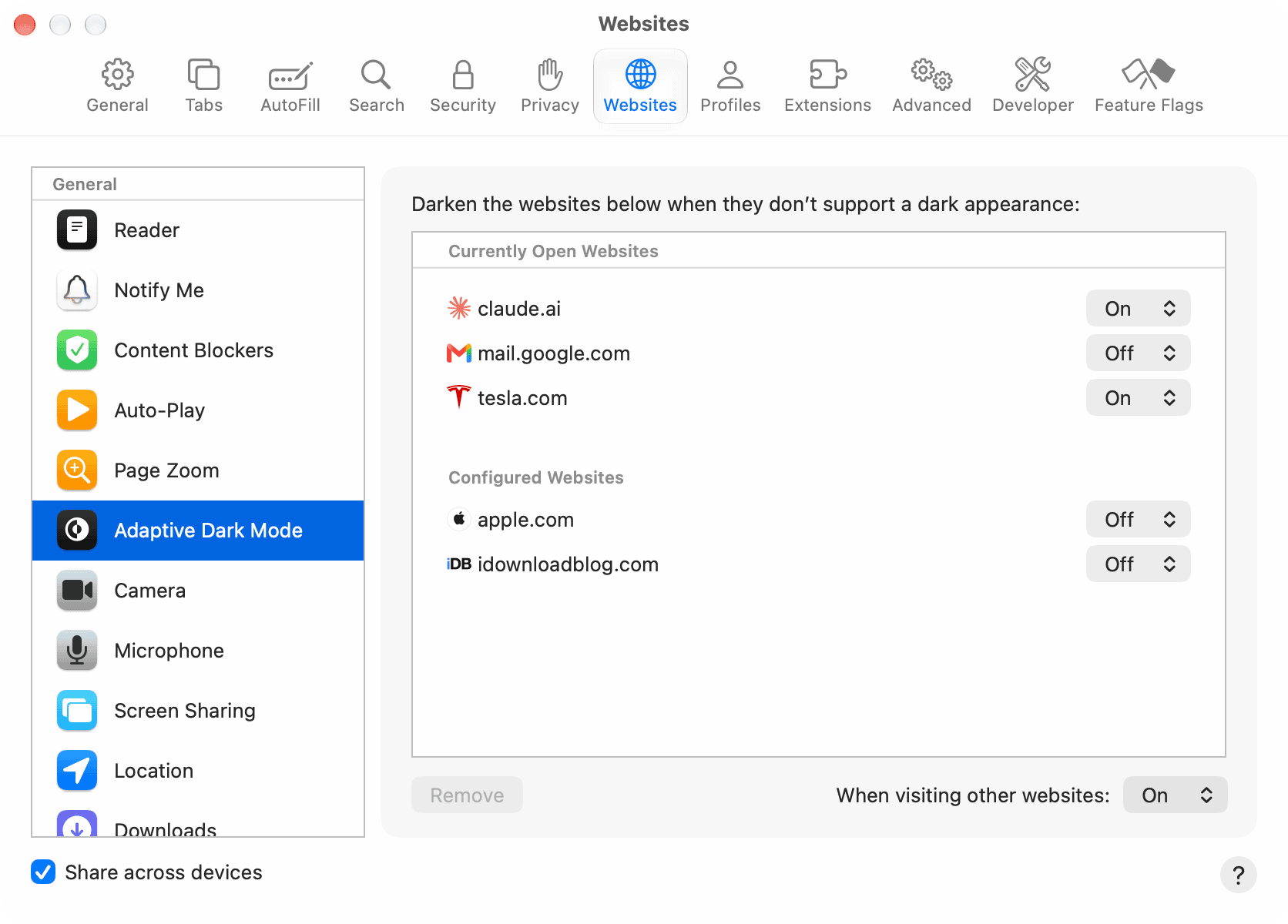
The source’s hands-on testing found the iOS 27.3 beta implementation inconsistent: it did not work on the publication’s own site, worked once on tesla.com before failing on later attempts, and did not appear to work on several other pages. Safari could still display “Adaptive Dark Mode On” when the page had not changed. Those observations are beta test results, not a confirmed list of unsupported websites.