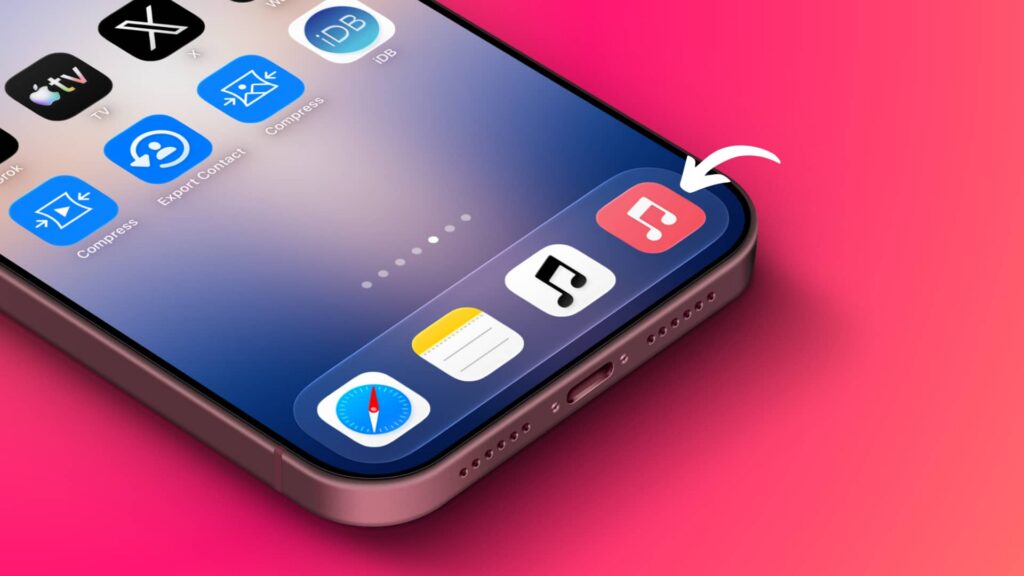
A guide published on November 3, 2026 (UTC+8) describes a workaround for people who prefer Apple Music’s former red icon to the black-and-white icon introduced in iOS 27. It does not change the Music app’s icon: it creates a Home Screen shortcut that opens the app.
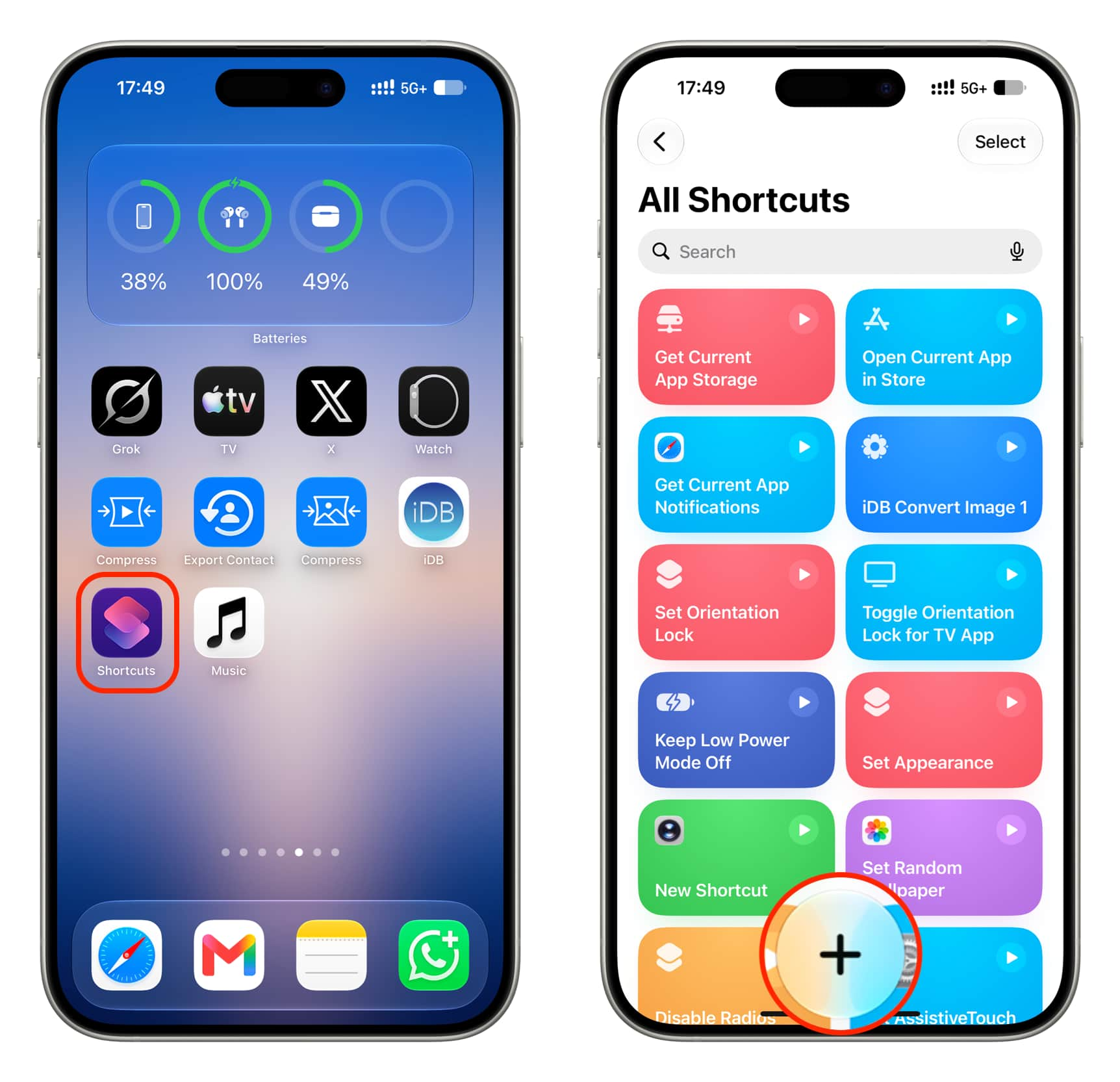
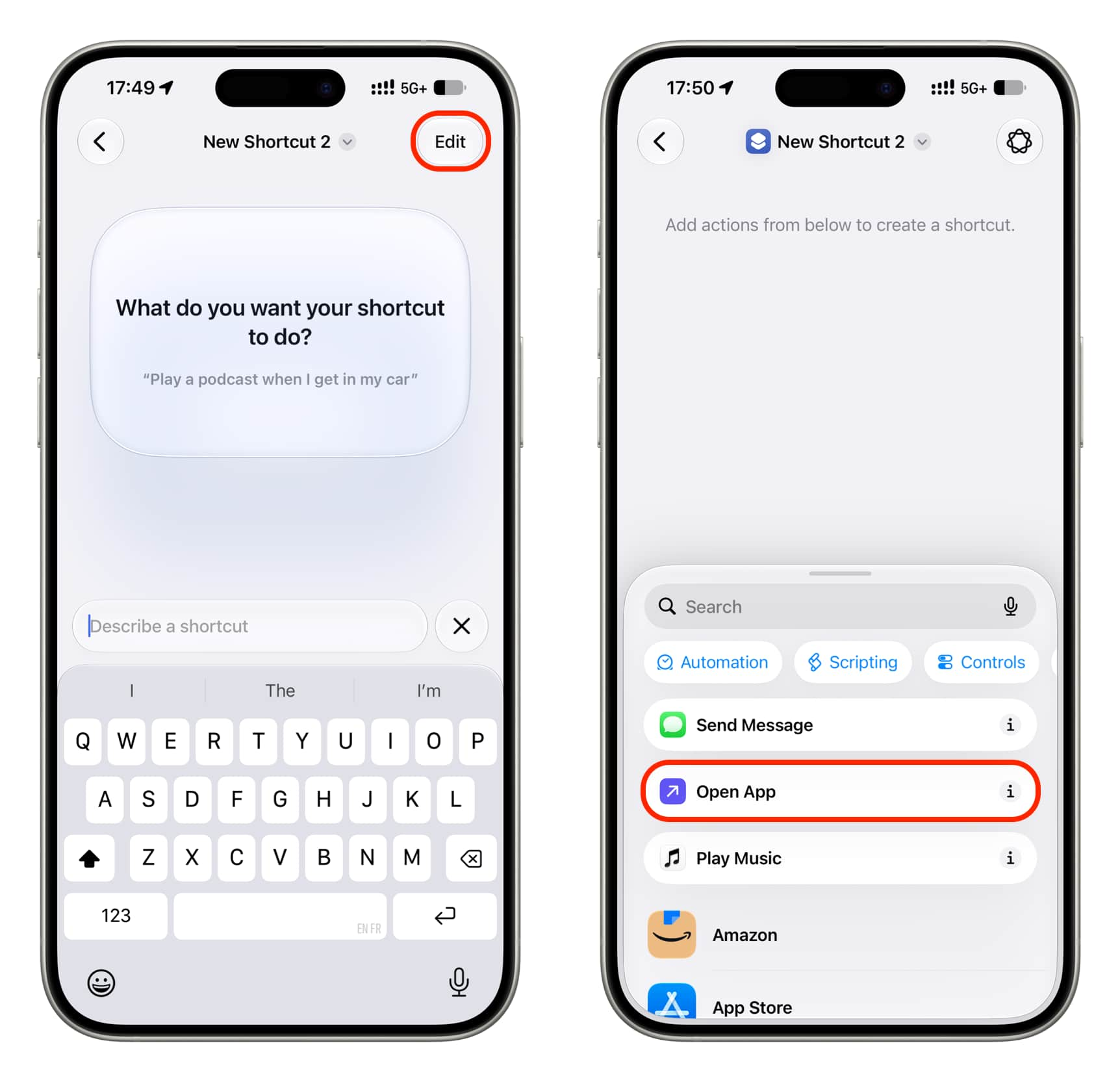
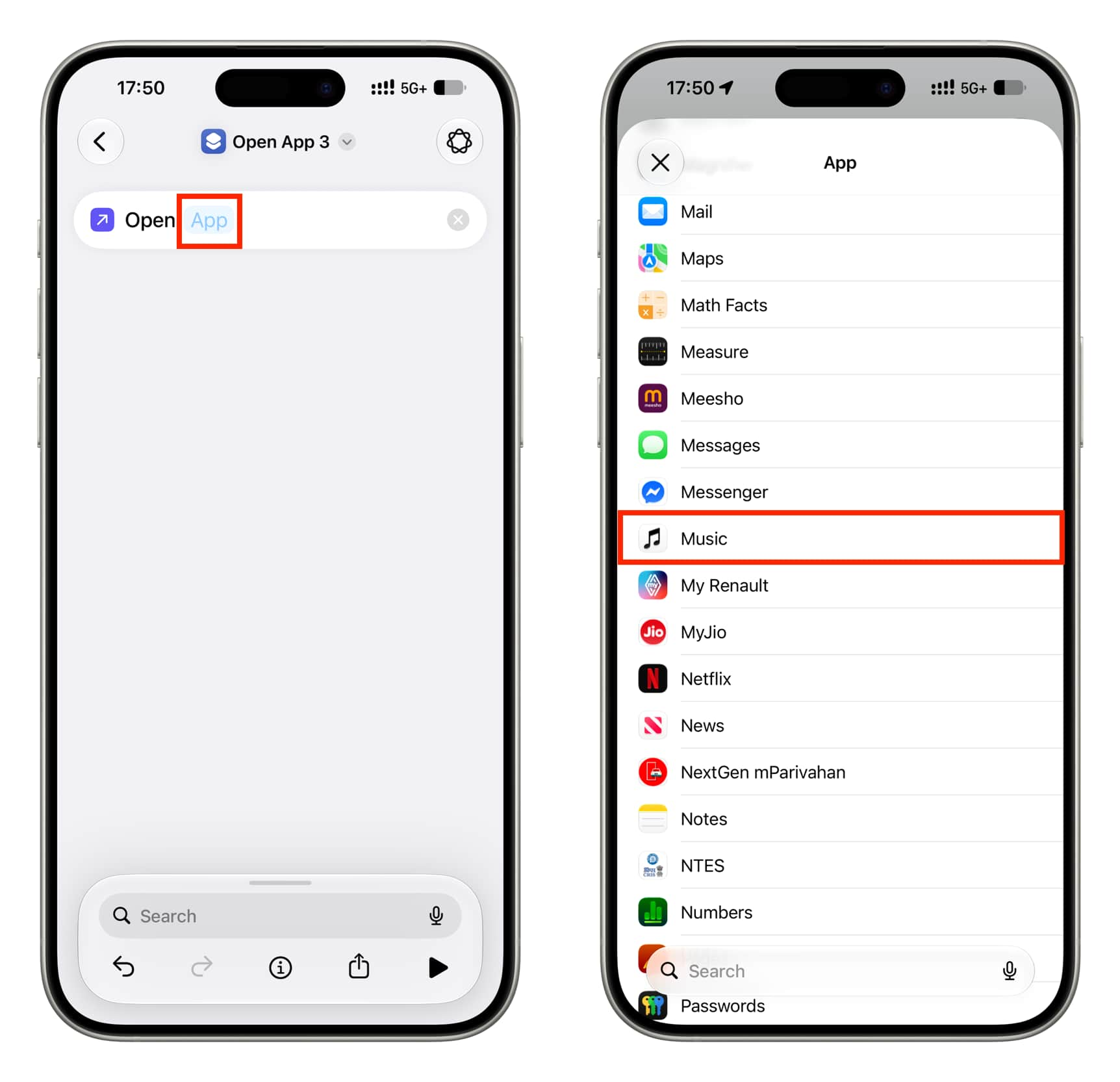
To set it up on an iPhone or iPad:
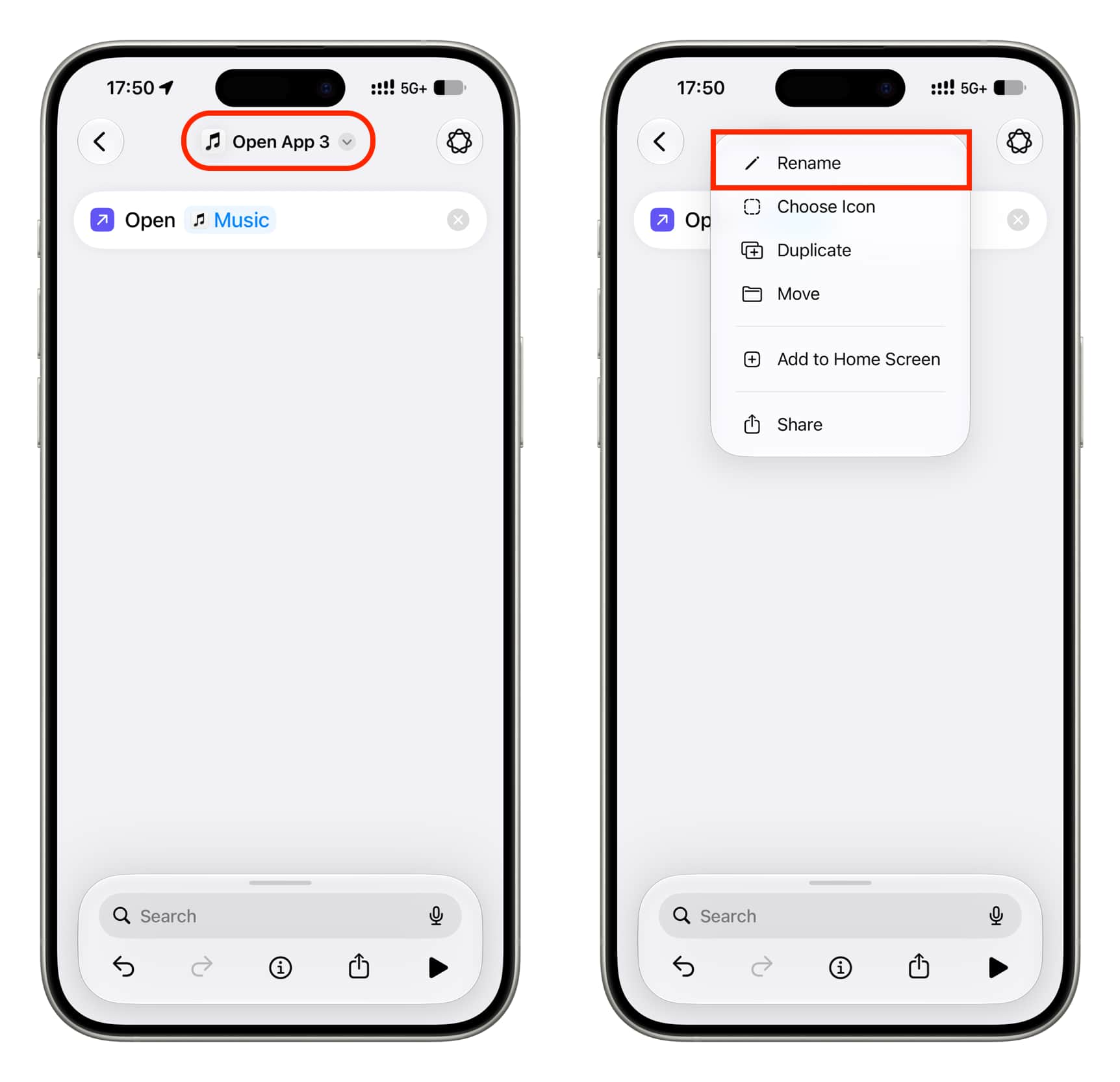
- Open Shortcuts, tap +, then tap Edit and choose Open App.
- Tap the App placeholder and select Music.
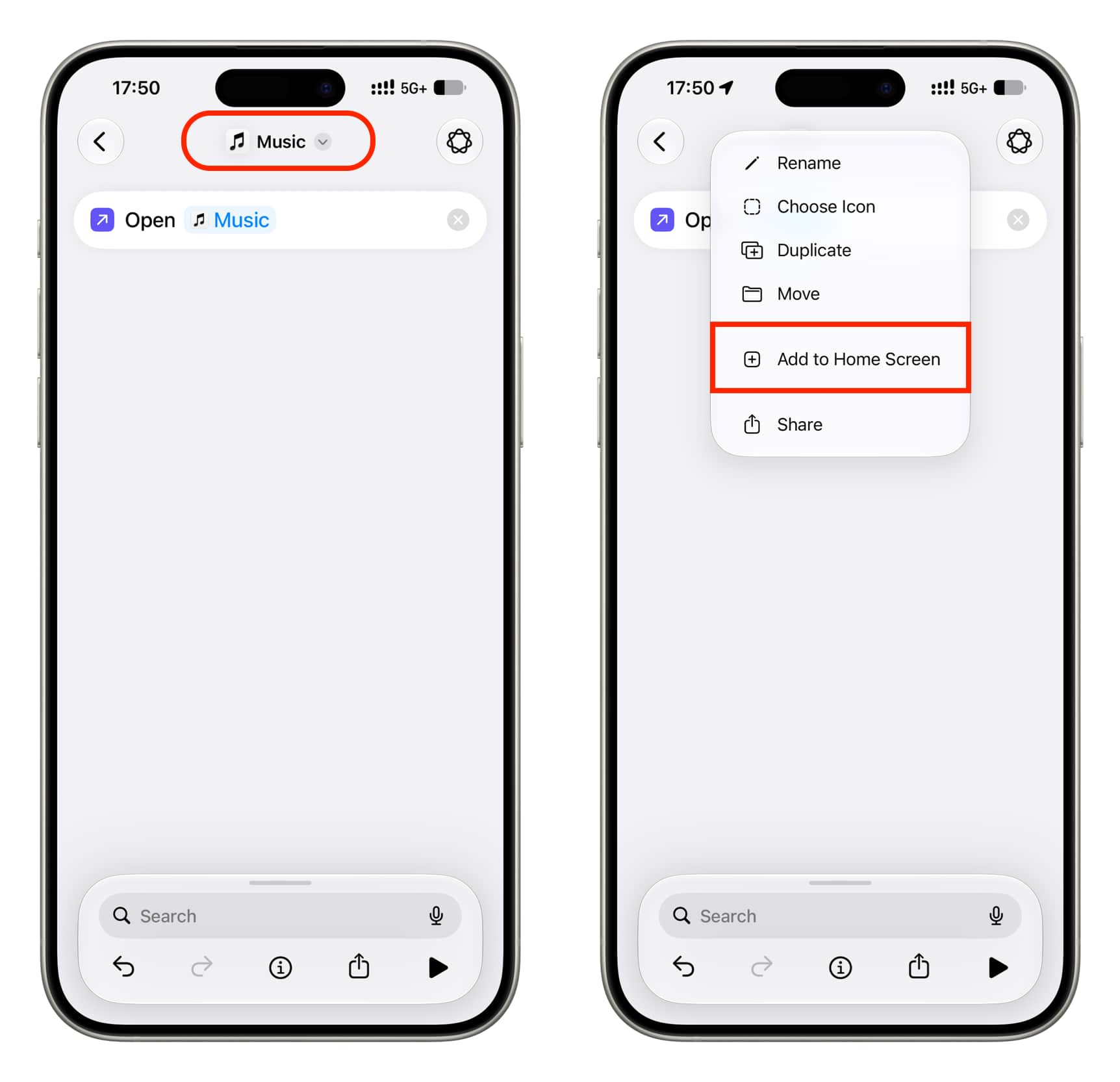
- Tap the shortcut’s name, rename it Music, then tap the name again and choose Add to Home Screen.
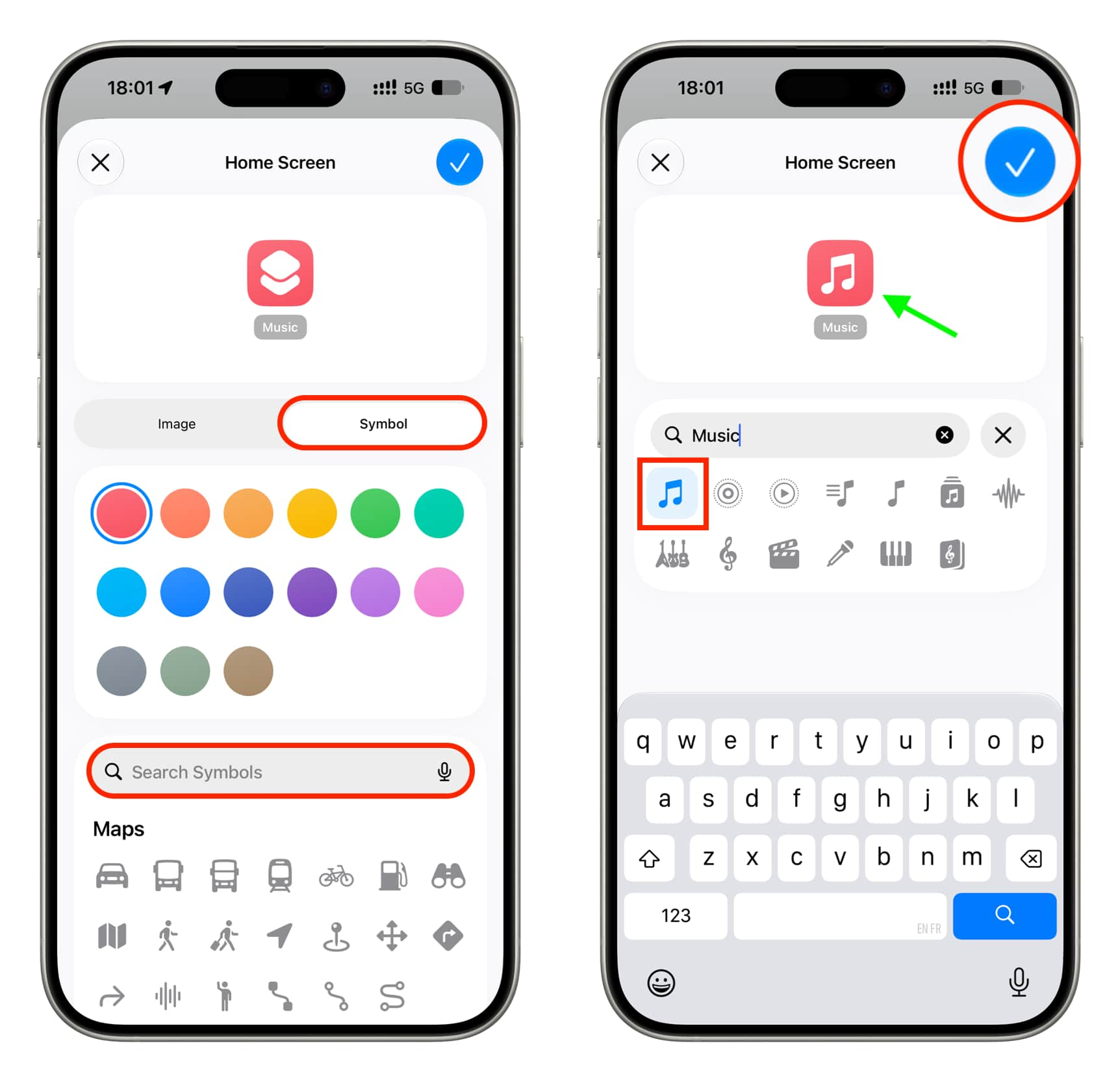
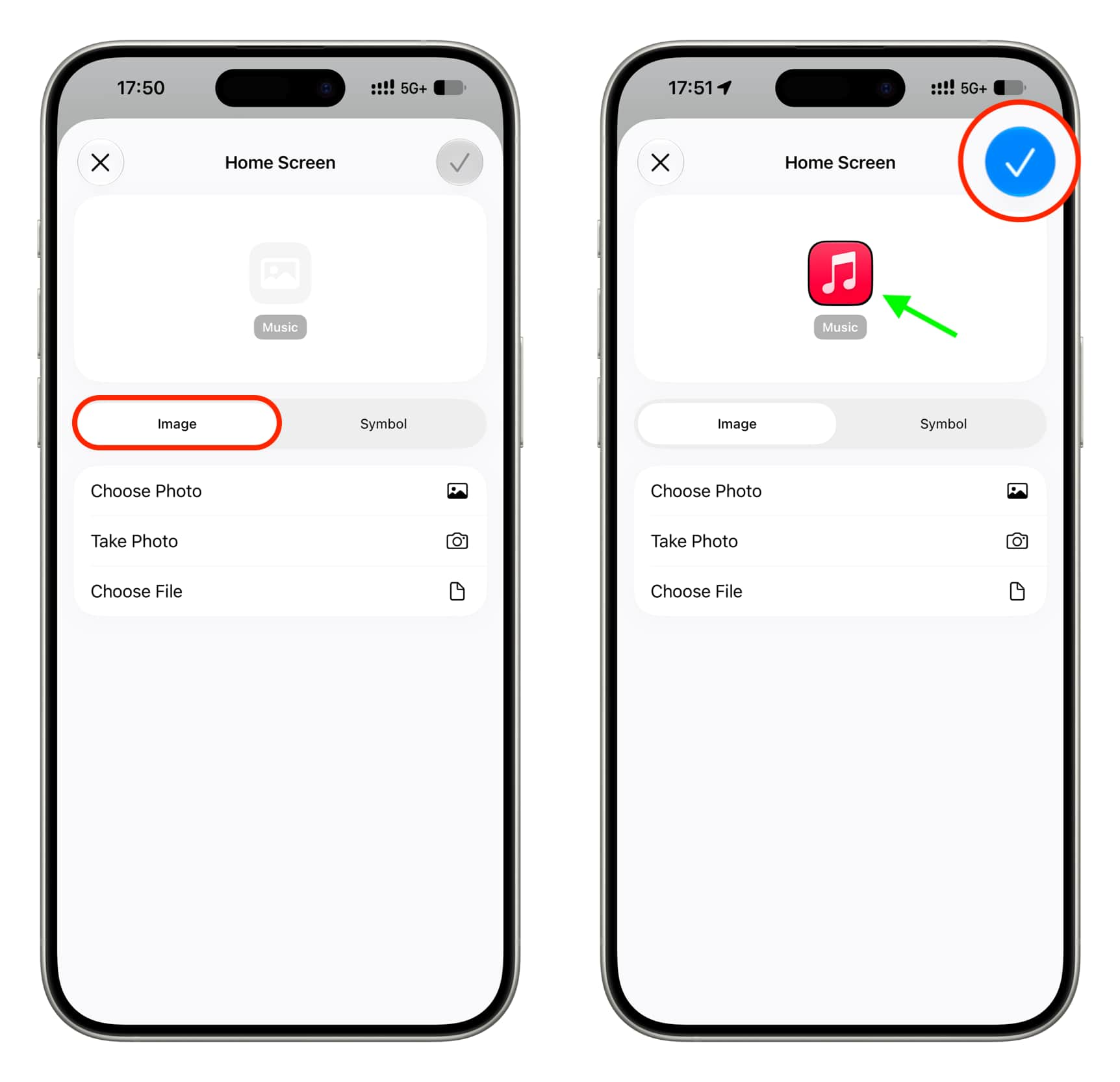
- For a similar-looking icon, stay on the Symbol tab, select red, search for the music symbol and choose it. Alternatively, use the Image tab to select a saved copy of the original red icon from Photos or Files. Tap the checkmark to add the shortcut.
- If you want to avoid two Music icons on the Home Screen, remove the black-and-white app icon from there.
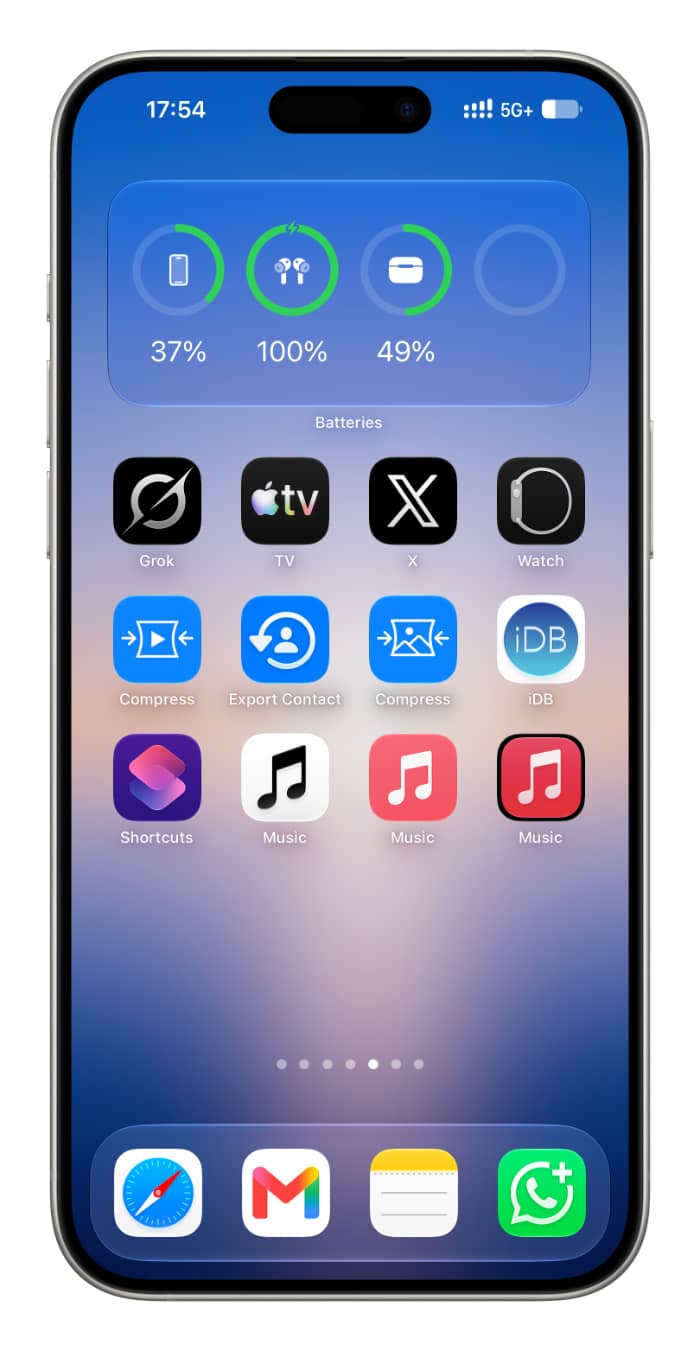
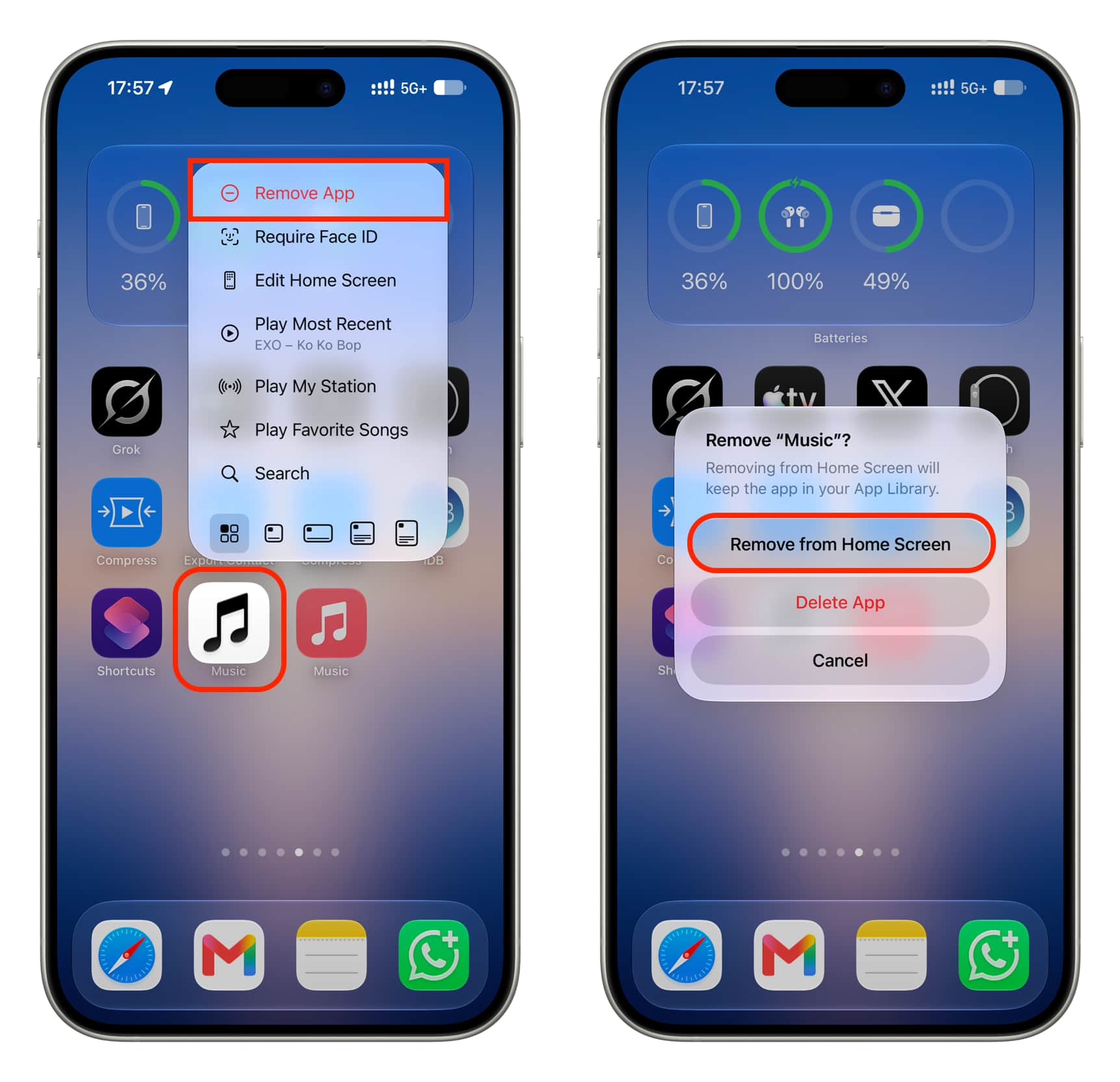
The shortcut opens Music, but it lacks the app icon’s touch-and-hold quick actions. The original icon remains in the App Library, and the alphabetical App Library view may show two Music entries. A transparent PNG used for the shortcut may also produce a thin black outline. The guide says this approach works on iOS and iPadOS, is of little use on macOS, and is not possible on tvOS.